Ever felt that heart-stopping moment when the lights flicker, or worse, your computer suddenly shuts down during a storm? In today’s interconnected world, our reliance on electronic devices is absolute, making them vulnerable to the unpredictable nature of electricity. That’s where a UPS battery backup & surge protector comes in, acting as your digital guardian angel. It’s not just about keeping the lights on; it’s about safeguarding your invaluable data, protecting expensive hardware, and ensuring your productivity remains uninterrupted.
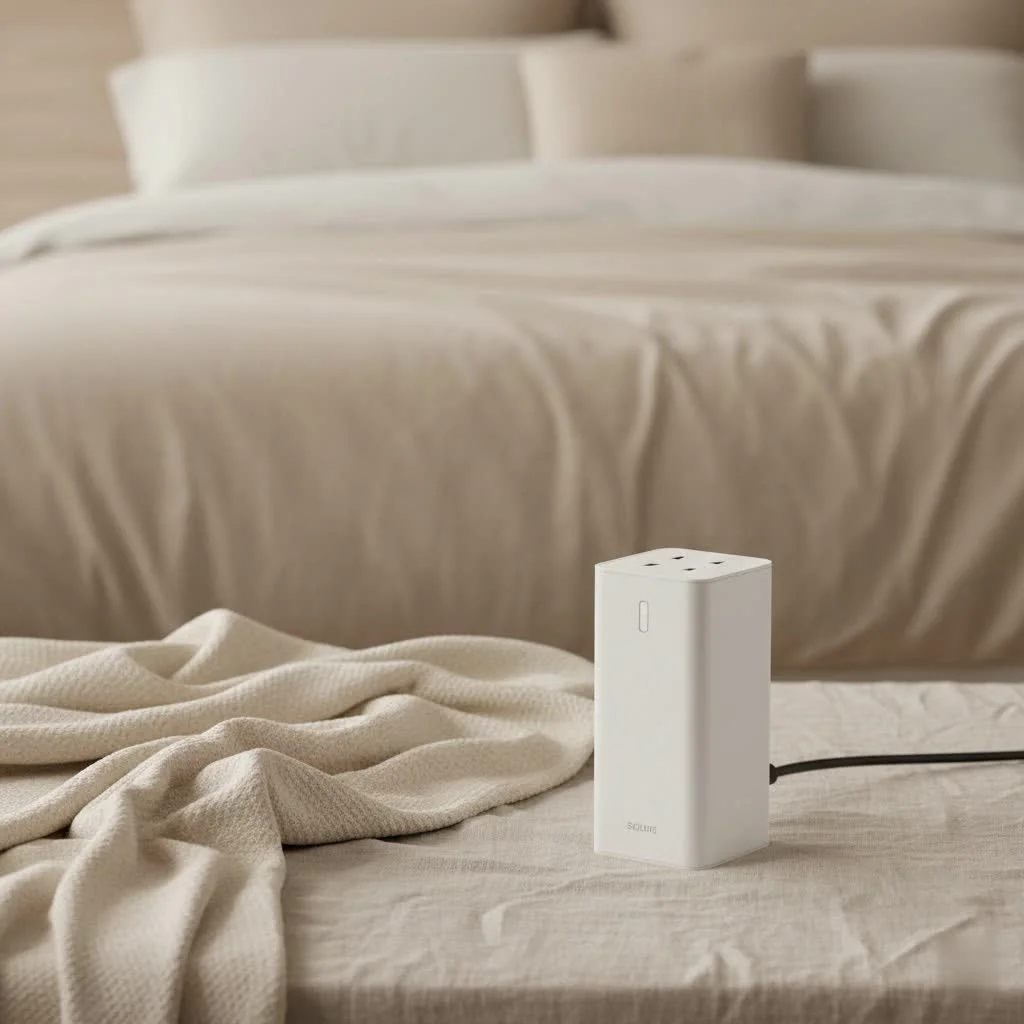
Think of it this way: a power strip might offer basic surge protection, but what happens when the power completely vanishes? Your devices crash, and your work is lost. A UPS, or Uninterruptible Power Supply, takes protection to the next level by combining both battery backup for outages and robust surge protection for harmful voltage spikes. It’s the comprehensive solution every modern home and office truly needs.
What Exactly is a UPS Battery Backup?
At its core, an Uninterruptible Power Supply (UPS) is designed to provide emergency power to connected equipment when your primary power source fails. Imagine your computer, router, or even your gaming console suddenly losing power. A UPS steps in instantly, supplying battery power so you have time to save your work, gracefully shut down your systems, or even continue operating through short outages. This prevents critical data loss, avoids corrupted files, and minimizes the stress a sudden shutdown puts on your delicate electronics.
A UPS essentially works like this: it constantly monitors the incoming utility power. When it detects a power interruption, whether it’s a complete blackout, a sag (brownout), or an overvoltage situation, it seamlessly switches to its internal battery. This battery, charged when utility power is stable, then provides clean, consistent power through an inverter to your devices. This seamless transfer is what gives you “uninterruptible” power.
There are primarily three types of UPS topologies, each offering varying levels of protection and features:
Why is Battery Backup Essential?
The benefits of a UPS battery backup extend far beyond simply keeping your devices running during an outage. They are crucial for:
- Preventing Data Loss: Sudden shutdowns are notorious for corrupting files and causing irreversible data loss. A UPS gives you the precious minutes needed to save your work and perform a proper shutdown.
- Protecting Hardware: Power fluctuations, even brief ones, can severely stress internal components, leading to premature hardware failure. A UPS provides a stable power supply, extending the lifespan of your electronics.
- Ensuring Business Continuity: For home offices and small businesses, every minute of downtime can translate into lost revenue and productivity. A UPS keeps essential systems, like network equipment and point-of-sale systems, operational.
- Maintaining Connectivity: During outages, a UPS can power your modem and router, allowing you to maintain internet and phone service for communication.
The Role of a Surge Protector: More Than Just a Power Strip
While a UPS handles power interruptions, a surge protector tackles the opposite problem: sudden, dangerous spikes in electrical voltage. These “surges” can be caused by various factors, from internal events like the cycling of high-power appliances (think air conditioners or refrigerators) to external forces like utility grid switching or, most dramatically, lightning strikes.
A surge protector works by diverting excess electrical voltage away from your sensitive electronics. When a surge occurs, it instantly reroutes the extra electricity through grounding wires, preventing it from reaching and frying your connected devices. It’s an indispensable shield against electrical damage that can instantly render expensive electronics useless.
The effectiveness of a surge protector is measured in joules. This rating indicates how much energy the device can absorb and dissipate before it fails. A higher joule rating means greater capacity to withstand surges and longer-lasting protection for your equipment. For expensive or mission-critical devices, a higher joule rating is always a wise investment.
Why Combine Both? The Powerhouse Duo
Some might wonder, “If I have a surge protector, do I really need a UPS?” Or “Does a UPS already include surge protection?” The truth is, a UPS battery backup & surge protector is often a combined unit for a reason: they address different, yet equally critical, power problems. A standalone surge protector offers no defense against a power outage, while a basic battery backup might not offer sufficient surge suppression.
When integrated, they form a comprehensive power protection system that guards against the full spectrum of electrical disturbances:
- Blackouts and Brownouts: Handled by the battery backup.
- Voltage Spikes and Surges: Tackled by the surge protection component.
- Voltage Sags and Overvoltages: Often corrected by features like Automatic Voltage Regulation (AVR) found in many UPS units, which stabilizes incoming power without switching to battery.
This combination ensures that your electronics not only stay powered during an outage but are also shielded from the damaging effects of sudden power spikes, offering true peace of mind. As Dr. Elena Petrova, Lead Engineer at Wwmsl Labs, succinctly puts it, “Relying on either a standalone surge protector or a basic battery backup leaves your valuable electronics vulnerable. A combined UPS battery backup with robust surge protection is the only way to achieve truly comprehensive defense against unpredictable power events.”
Choosing the Right UPS Battery Backup & Surge Protector: What to Look For
Selecting the ideal UPS battery backup & surge protector can seem daunting with the array of options available. However, focusing on a few key specifications will help you make an informed decision tailored to your specific needs.
Sizing Your UPS: VA and Wattage
|
Our Picks for the Best Surge Protector in 2026
As an Amazon Associate I earn from qualifying purchases.
|
||
| Num | Product | Action |
|---|---|---|
| 1 | Surge Protector Power Strip - HANYCONY 8 Outlets 4 USB (2 USB C) Charging Ports, Multi Plug Outlet Extender, 5Ft Braided Extension Cord, Flat Plug Wall Mount Desk Charging Station for Home Office ETL |

|
| 2 | Surge Protector Outlet Extender - with Rotating Plug, 6 AC Multi Plug Outlet with 4 USB Ports (2 USB C), 1800J Wall Charger, 3-Sided Power Strip with Spaced Outlet Splitter for Home, Office, Travel |
|
| 3 | 3 Prong GFCI Power Strip with 8 Outlets, 4 USB Ports(2 USB A & 2 USB C), 1050J Surge Protector, 6.56 FT Extension Cord with GFCI Plug (ETL Listed) for Home/Office/Kitchen/Dormitory |
|
| 4 | Amazon Basics Surge Protector Power Strip, 6-Outlet, 790 Joules, Circuit Breaker, LED Indicator Light, 6ft Extension Cord, Black |
|
| 5 | Amazon Basics Surge Protector Power Strip, 6-Outlet with 200J Protection, 2ft Extension Cord, Rectangle, Black (2 Pack) |
|
| 6 | Amazon Basics Surge Protector Power Strip, 6-Outlet, 790 Joules, Circuit Breaker, LED Indicator, 6ft Extension Cord, White |
|
| 7 | Surge Protector Power Strip - Nuetsa Flat Plug Extension Cord with 8 Outlets and 4 USB Ports, 6 Feet Power Cord (1625W/13A), 2700 Joules, ETL Listed, Black |
|
| 8 | SUPERDANNY Surge Protector Power Bar with 6 USB Charging Ports, Mountable Flat Plug Power Strip, 22 Widely-Spaced Outlets, 2100 Joules, 8Ft Heavy Duty Extension Cord for Home, Office, Dorm, Black |
|
| 9 | Philips 6-Outlet Extender Surge Protector, 2 Pack, Wall Tap, 900 Joules, 3-Prong, Space Saving Design, Protection Indicator LED Light, ETL Listed, White, SPP3466WA/37 |
|
| 10 | Belkin 12-Outlet Surge Protector Power Strip w/ 12 AC Outlets & 8ft Flat Plug, UL-listed Heavy-Duty Extension Cord for Home, Office, Travel, Computer, Laptop, Charger - 3,940 Joules of Protection |
|
This is perhaps the most crucial step. UPS units are rated in two main capacities: Volt-Amperes (VA) and Watts (W).
- Watts measure the actual power drawn by your equipment.
- VA (Volt-Amperes) represents the apparent power and is typically higher than the wattage.
You need to know the total wattage of all the devices you plan to connect to the battery-backed outlets. Always ensure the UPS’s Watt capacity is at least 20-25% higher than the total power draw of your equipment to allow for peak loads and future expansion. The VA rating should also exceed your total VA load. Don’t just rely on VA; the Watt rating is the real indicator of how much equipment the UPS can genuinely power. Look at the power adapters or manuals for your devices to find their wattage, or use an online calculator.
Runtime Matters: How Long Do You Need Power?
Runtime refers to how long the UPS can power your connected devices during an outage. This depends heavily on two factors: the UPS’s battery capacity and the total load (wattage) of your plugged-in equipment.
- Short Runtime (5-10 minutes): Often sufficient to save your work and perform a safe shutdown. Ideal for desktop computers, routers, and monitors in a home office.
- Extended Runtime (30+ minutes): Useful for riding out brief outages, ensuring continuity for critical servers, or allowing more complex shutdowns.
The more devices you connect and the higher their power consumption, the shorter your runtime will be. Prioritize your most essential devices for the battery-backed outlets.
Surge Protection Rating: Joules for Safety
As discussed, the joule rating indicates the surge protector’s ability to absorb excess energy.
- Modest Needs (500-900 Joules): Adequate for basic electronics like lamps or phone chargers.
- Home Office (900-1800 Joules): A good average for protecting a desktop computer and monitor.
- Home Theater & Gaming (1800+ Joules): Essential for expensive, sensitive equipment like high-end gaming PCs, consoles, or large TVs to provide the best possible protection.
Number and Type of Outlets
Count the number of devices you need to plug in. Most UPS units offer a mix of outlets:
- Battery Backup + Surge Protected: These are for your critical devices that need to stay on during an outage (e.g., computer, monitor, router, external hard drives).
- Surge Protected Only: These outlets protect devices from surges but will shut off during a power outage (e.g., printers, scanners, desk lamps).
Ensure the UPS has enough of each type of outlet for your setup, keeping in mind that bulky power adapters might block adjacent ports.
Advanced Features to Consider
- Automatic Voltage Regulation (AVR): A crucial feature that stabilizes incoming voltage, correcting sags and surges without using battery power, thereby preserving battery life.
- Pure Sine Wave Output: Essential for sensitive electronics, gaming PCs, and devices with active PFC (Power Factor Correction) power supplies. It provides a cleaner, more stable power signal compared to simulated sine wave output.
- Replaceable Batteries: Look for models with user-replaceable batteries to extend the lifespan of your UPS, as batteries are consumables that degrade over time.
- Power Management Software: Allows you to monitor the UPS status, configure automatic shutdowns for your computer, and receive alerts.
- USB Charging Ports: Convenient for charging smartphones and tablets, even during a power outage.
Common Misconceptions and Best Practices
When it comes to power protection, a few common questions and practices often arise. Let’s clear them up to ensure your setup is as effective as possible.
Can I Plug a Surge Protector into a UPS?
Generally, it’s not recommended to plug a standalone surge protector into a UPS. Doing so can “double filter” the power, potentially interfering with the UPS’s ability to regulate voltage or detect power problems correctly. The surge protection built into a quality UPS is usually sufficient. If you need more outlets than your UPS provides, opt for a simple power strip (without surge protection) plugged into a surge-protected-only outlet on the UPS, or use heavy-duty extension cords. The key is to avoid daisy-chaining surge protection devices.
UPS Battery Maintenance: Extending Lifespan
Like any battery, UPS batteries have a finite lifespan, typically 3-5 years, depending on usage and environmental conditions. Regular maintenance can extend their life and ensure optimal performance:
- Regular Testing: Most UPS units have a self-test function. Run this periodically to check battery health.
- Environmental Control: Keep your UPS in a cool, dry place. Extreme temperatures (hot or cold) can accelerate battery degradation.
- Avoid Overloading: Don’t connect more devices than the UPS’s wattage capacity allows, as this stresses the battery and can trip the circuit breaker.
- Replace When Needed: Pay attention to “replace battery” indicators or alarms. Timely battery replacement is crucial for continuous protection. Overcharging and over-discharging can also cause batteries to fail prematurely.
Frequently Asked Questions (FAQ)
Q1: How often should I replace my UPS battery?
A1: Most UPS batteries have a lifespan of 3-5 years. However, this can vary based on usage, environmental conditions, and the number of power events the UPS experiences. Many units have indicators or software to alert you when a replacement is due.
Q2: What’s the difference between a surge protector and a power strip?
A2: A power strip simply provides multiple electrical outlets from a single wall socket. A surge protector is a type of power strip that also includes circuitry designed to protect connected devices from voltage spikes. All surge protectors are power strips, but not all power strips are surge protectors.
Q3: Can a UPS protect against lightning strikes?
A3: A UPS with built-in surge protection offers protection against many forms of power surges, including those caused by nearby lightning strikes. However, no plug-in device can guarantee 100% protection from a direct lightning hit, which carries immense power. For ultimate protection during a severe lightning storm, it’s always best to unplug sensitive electronics.
Q4: Do all UPS units provide pure sine wave output?
A4: No. Many entry-level and line-interactive UPS units provide a “simulated sine wave” or “stepped approximation to a sine wave” output, which is generally fine for most common electronics. However, pure sine wave output is crucial for devices with active Power Factor Correction (PFC) power supplies (common in modern desktop PCs), sensitive audio/video equipment, and certain medical devices, as it provides cleaner and more stable power.
Q5: What devices should I plug into my UPS’s battery-backed outlets?
A5: You should plug your most critical devices into the battery-backed outlets. This typically includes your computer tower, monitor, external hard drives, router, modem, and any other essential networking equipment that needs to remain operational or require a graceful shutdown. Less critical items like printers, scanners, or lamps can go into the surge-only outlets.
Your Investment in Uninterrupted Power
In a world increasingly dependent on technology, investing in a quality UPS battery backup & surge protector is no longer a luxury, but a necessity. It’s a proactive step to safeguard your digital life, prevent costly hardware damage, and ensure that unpredictable power events don’t derail your productivity or precious data. From the casual user protecting a home PC to the dedicated gamer or home office professional, the peace of mind offered by a comprehensive power protection solution is invaluable.
Don’t wait for the next power flicker or surge to learn the hard way. Take control of your power environment today. Assess your needs, choose wisely, and confidently protect your electronic devices with a reliable UPS battery backup and surge protector.
Get our weekly buyer guide
Practical specs, not advice. Unsubscribe anytime.