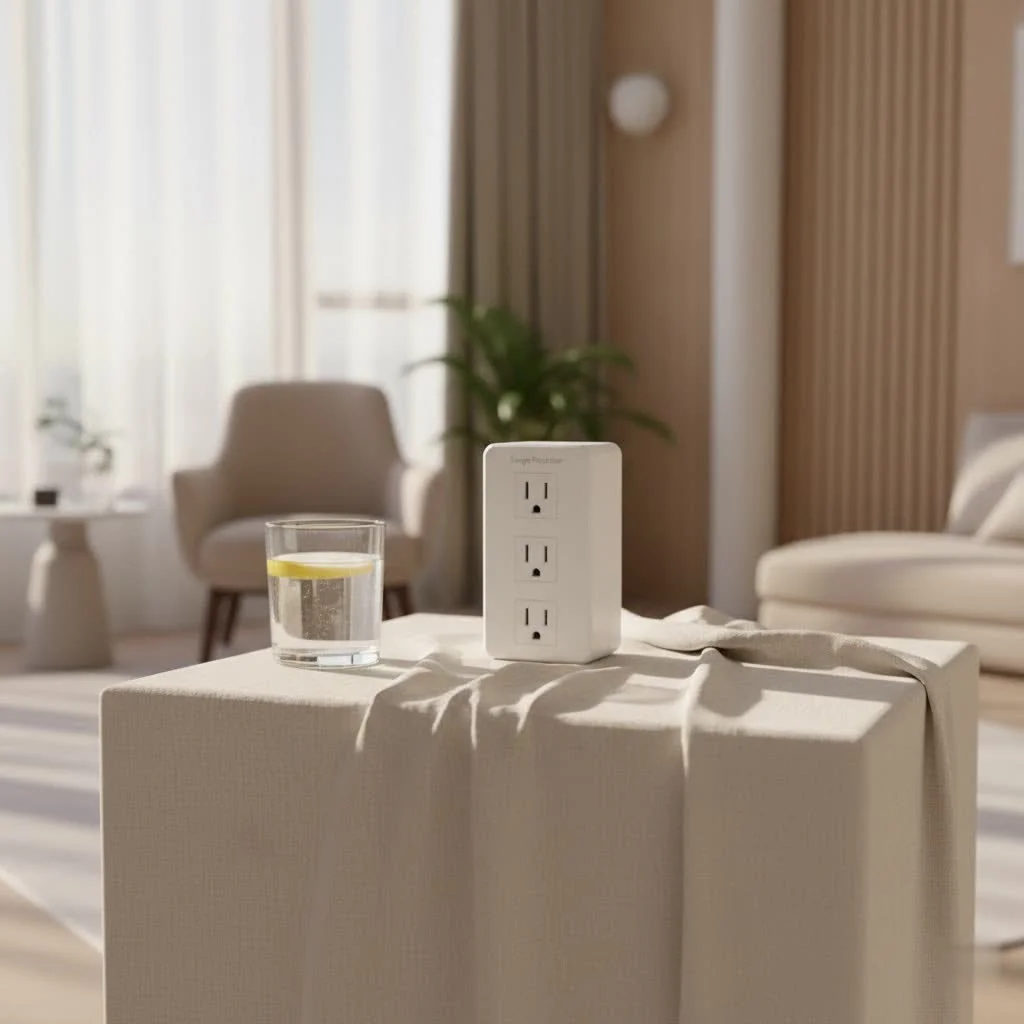
A surge protector is an electrical device that safeguards electronic equipment from power surges, which are sudden, brief spikes in electrical voltage. These devices work by diverting excess electricity away from connected electronics and safely into a grounding wire, preventing costly damage to sensitive components. With over two decades of experience in electrical protection, Wwmsl.com emphasizes that understanding surge protection is crucial for preserving your digital investments.
 surge protector with multiple outlets and indicator lights” style=”margin: 20px auto;width: 800px;max-width: 100%;height: auto” />
What Exactly is a Surge Protector?
At its core, a surge protector is a guardian for your electronics. You might know it by other names like a surge suppressor or a transient voltage surge suppressor (TVSS), but its purpose remains the same: to shield your sensitive equipment from the dangers of erratic electrical voltage. Unlike a basic power strip that merely offers more outlets, a surge protector contains specialized components designed to detect and divert harmful excess electricity, ensuring only clean, stable power reaches your devices.
How Does a Surge Protector Work?
Imagine your home’s electrical system as a highway. Normally, electricity flows smoothly, like traffic within speed limits. A power surge is like a sudden, uncontrolled acceleration – a massive pile-up of voltage that can overwhelm and destroy anything in its path. A surge protector acts as a vigilant traffic cop. When it senses this electrical “over-speeding,” it quickly reroutes the excess energy away from your connected devices and safely channels it into your home’s grounding wire.
The magic behind this diversion often lies within tiny, unsung heroes called Metal Oxide Varistors (MOVs). These components are engineered to resist the flow of electricity under normal voltage. But the moment voltage levels spike above a safe threshold, the MOV springs into action, becoming a conductor and shunting the dangerous excess current to the ground. Once the surge passes and voltage returns to normal, the MOV reverts to its non-conductive state, ready for the next threat.
What causes these disruptive surges? They can originate from various sources, some external and others within your own home. Common culprits include lightning strikes (even indirect ones that hit utility lines nearby), sudden fluctuations from your power company, or even large appliances like refrigerators or air conditioners cycling on and off. These seemingly innocuous events can send damaging voltage spikes through your electrical system.
Surge Protector vs. Power Strip: Don’t Get Caught Out!
This is where many people get tripped up, and it’s a critical distinction. Visually, a surge protector and a power strip can look almost identical: a rectangular bar with multiple outlets. However, their internal capabilities are vastly different.
A power strip is essentially a glorified extension cord. It takes one wall outlet and expands it into several, allowing you to plug in multiple devices. That’s its only function. It offers zero protection against power surges. If a voltage spike occurs while your devices are plugged into a power strip, they are completely vulnerable to damage.
A surge protector, on the other hand, includes the multi-outlet convenience of a power strip but adds crucial internal circuitry, like those MOVs we discussed, to actively protect your electronics. Ignoring this distinction can be a costly mistake, particularly for expensive or sensitive equipment like computers, televisions, and gaming consoles. Always look for clear labeling that identifies the product as a “surge protector” or “surge protective device” (SPD), along with key performance ratings.
Choosing Your Shield: Key Factors When Buying a Surge Protector
Selecting the right surge protector isn’t a “one-size-fits-all” scenario. Your choice should depend on the value and sensitivity of the electronics you’re protecting. Think of it as investing in insurance for your digital life. Here’s what to look for:
The Power of Joules: How Much Protection Do You Need?
|
Our Picks for the Best Surge Protector in 2026
As an Amazon Associate I earn from qualifying purchases.
|
||
| Num | Product | Action |
|---|---|---|
| 1 | Amazon Basics Surge Protector Power Strip, 6-Outlet, 790 Joules, Circuit Breaker, LED Indicator Light, 6ft Extension Cord, Black |

|
| 2 | Surge Protector Power Strip - Nuetsa Flat Plug Extension Cord with 8 Outlets and 4 USB Ports, 6 Feet Power Cord (1625W/13A), 2700 Joules, ETL Listed, Black |
|
| 3 | 3 Prong GFCI Power Strip with 8 Outlets, 4 USB Ports(2 USB A & 2 USB C), 1050J Surge Protector, 6.56 FT Extension Cord with GFCI Plug (ETL Listed) for Home/Office/Kitchen/Dormitory |
|
| 4 | Amazon Basics Surge Protector Power Strip, 6-Outlet, 790 Joules, Circuit Breaker, LED Indicator, 6ft Extension Cord, White |
|
| 5 | Belkin 12-Outlet Surge Protector Power Strip w/ 12 AC Outlets & 8ft Flat Plug, UL-listed Heavy-Duty Extension Cord for Home, Office, Travel, Computer, Laptop, Charger - 3,940 Joules of Protection |
|
| 6 | SUPERDANNY Surge Protector Power Bar with 6 USB Charging Ports, Mountable Flat Plug Power Strip, 22 Widely-Spaced Outlets, 2100 Joules, 8Ft Heavy Duty Extension Cord for Home, Office, Dorm, Black |
|
| 7 | Philips 6-Outlet Extender Surge Protector, 2 Pack, Wall Tap, 900 Joules, 3-Prong, Space Saving Design, Protection Indicator LED Light, ETL Listed, White, SPP3466WA/37 |
|
| 8 | Amazon Basics Surge Protector Power Strip, 6-Outlet with 200J Protection, 2ft Extension Cord, Rectangle, Black (2 Pack) |
|
| 9 | Surge Protector Power Strip - HANYCONY 8 Outlets 4 USB (2 USB C) Charging Ports, Multi Plug Outlet Extender, 5Ft Braided Extension Cord, Flat Plug Wall Mount Desk Charging Station for Home Office ETL |
|
| 10 | Surge Protector Outlet Extender - with Rotating Plug, 6 AC Multi Plug Outlet with 4 USB Ports (2 USB C), 1800J Wall Charger, 3-Sided Power Strip with Spaced Outlet Splitter for Home, Office, Travel |
|
The joule rating is one of the most important specifications on a surge protector. It quantifies the amount of energy the device can absorb before its protective components wear out. Think of it as a battery for surges; a higher joule rating means it can take more hits and provide longer-lasting, more robust protection.
- For basic devices (lamps, chargers, clocks): A joule rating of 500-1,000 might suffice.
- For mid-range electronics (printers, routers, small kitchen appliances): Aim for at least 1,000-2,000 joules.
- For high-value and sensitive equipment (computers, home theater systems, gaming consoles, medical devices): Insist on a surge protector with a rating of 2,000 joules or higher. These devices contain delicate microprocessors that are particularly vulnerable to even minor voltage fluctuations.
every time a surge protector diverts a surge, its MOVs degrade slightly. A higher joule rating means it can endure more of these events before losing its effectiveness.
Clamping Voltage and Response Time: The Speed and Limit of Protection
Beyond joules, two other technical specifications tell you a lot about a surge protector’s performance:
- Clamping Voltage (UL VPR): This refers to the maximum voltage the surge protector will “let through” to your connected equipment before it starts diverting the excess. Lower is better here. Look for devices with a clamping voltage of 330V or 400V. Any higher means more voltage is reaching your electronics, which isn’t ideal.
- Response Time: This indicates how quickly the surge protector reacts to a surge. Measured in nanoseconds, a faster response time means your devices are protected almost instantaneously. The quicker the response, the less exposure your electronics have to damaging spikes.
Always ensure your surge protector is certified by reputable organizations, such as UL (Underwriters Laboratories) with a UL 1449 rating. This standard confirms the device meets rigorous safety and performance criteria for transient voltage surge suppressors.
Beyond Basic Outlets: Features That Matter
A good surge protector offers more than just core protection:
- Number and Spacing of Outlets: Count the devices you need to plug in. Many modern surge protectors feature widely spaced or rotating outlets to accommodate bulky power adapters without blocking adjacent sockets.
- USB Charging Ports: With so many devices charging via USB, integrated USB-A and USB-C ports (especially fast-charging ones) can be incredibly convenient, eliminating the need for separate charging bricks.
- Indicator Lights: These are your visual cues to the surge protector’s health. A “protection” light confirms the internal components are still active and guarding your devices. A “grounded” light indicates it’s properly plugged into a grounded outlet. If the protection light goes out, it means the unit has sacrificed itself to protect your devices and needs to be replaced.
- EMI/RFI Noise Filtering: Electromagnetic interference (EMI) and radio frequency interference (RFI) can cause “dirty power” that degrades the performance of audio/video equipment and sensitive electronics. Good surge protectors include filters to clean up this electrical noise.
- Protection for Data Lines: Surges don’t just travel through AC power lines. Some advanced surge protectors offer additional ports to protect telephone, Ethernet, or coaxial cable lines, safeguarding devices like modems, routers, and cable boxes.
- Auto Shut-off: In the event of a catastrophic surge that overwhelms the unit, some surge protectors will automatically cut power to connected devices, offering an extra layer of defense.
Different Types of Surge Protectors for Different Needs
The world of surge protectors extends beyond the multi-outlet strips you typically see. Different types offer varying levels of protection and installation methods:
Point-of-Use (Plug-in) Surge Protectors
These are the most common type, often resembling power strips. You plug them directly into a wall outlet, and then plug your devices into them. They’re ideal for individual workstations, entertainment centers, or areas where you have a cluster of electronics that need protection. These are classified as Type 3 SPDs and serve as a crucial secondary layer of defense.
Whole-House Surge Protectors
For comprehensive protection, a whole-house surge protector (also known as a panel-mounted or load-center SPD) is installed directly at your main electrical service panel or breaker box. These are typically Type 1 or Type 2 SPDs and provide the first, most robust line of defense against powerful surges entering your home, including those from lightning or utility grid issues. They protect all circuits and appliances connected to your home’s electrical system, offering peace of mind for every outlet.
Modular and DIN rail surge protectors are variations designed for easy installation within electrical panels, often providing additional protective features beyond just surge suppression.
Expert Advice: Maintaining and Maximizing Your Surge Protection
Even the best surge protector isn’t a “set it and forget it” solution. Here’s how to ensure your guardians are always at their best:
How Often Should You Replace Your Surge Protector?
surge protectors have a finite lifespan. Their internal MOVs degrade with each surge they absorb, whether it’s a massive spike or numerous small fluctuations over time. A good rule of thumb is to replace your surge protector every 3-5 years, or immediately if:
- The “protection” indicator light goes out. This is the clearest sign that its protective components have worn out, and it’s now just a fancy power strip.
- Your home experiences a significant electrical event, like a lightning strike or a major power outage with subsequent spikes.
- You notice any physical damage to the unit or its cord.
As Dr. Eleanor Vance, Lead Electrical Safety Engineer at Wwmsl.com, aptly puts it: “In my two decades of working with electrical systems, I’ve seen countless instances where a quality surge protector made all the difference between a minor blip and thousands of dollars in ruined electronics. It’s not just about protecting your gadgets; it’s about safeguarding your peace of mind.”
Important Safety Tips:
- Avoid Daisy-Chaining: Never plug a surge protector into another surge protector, a power strip, or an extension cord. This can overload circuits and negate protection.
- Respect Amperage Ratings: Ensure the surge protector can handle the total current draw of all connected devices. Overloading can be a fire hazard.
- Keep Away From Water: Like all electrical devices, keep surge protectors away from water sources, including aquariums.
- Unwind Cords: If your surge protector has a long cord, unwind it completely to prevent overheating.
- Proper Grounding: For a surge protector to work effectively, it must be plugged into a properly grounded electrical outlet.
Frequently Asked Questions About Surge Protectors
Q: Can a surge protector really protect against a lightning strike?
A: While no consumer-grade surge protector can guarantee 100% protection against a direct lightning strike, they offer significant defense against indirect strikes and the resulting power surges that travel through utility lines. For the most robust protection against lightning, a combination of whole-house surge protectors and point-of-use units is recommended.
Q: How do I know if my surge protector is still working?
A: Most modern surge protectors have an indicator light, often labeled “Protected” or “Protection On.” If this light is off, it means the internal protection components have worn out or been sacrificed, and the unit is no longer providing surge protection. It’s time to replace it.
Q: What’s the best joule rating for a computer?
A: For a desktop computer, laptop, or gaming console, you should aim for a surge protector with a joule rating of 2,000 or higher. These devices contain sensitive components that require robust protection from power surges.
Q: Is it safe to plug a power strip into a surge protector?
A: No, it is generally not safe and highly discouraged. Plugging a power strip into a surge protector (or vice versa, or multiple surge protectors together) is known as “daisy-chaining.” This practice can create an overloaded circuit, bypass safety features, and increase the risk of fire or electrical damage. Always plug devices directly into a single, appropriate surge protector.
Safeguard Your Investments with Smart Surge Protection
In an increasingly connected world, protecting your valuable electronics from the unpredictable nature of power surges isn’t just a good idea – it’s essential. By understanding how surge protectors work, knowing the key factors to consider when buying one, and following proper maintenance and safety guidelines, you can significantly extend the life of your devices and enjoy true peace of mind. At Wwmsl.com, we’re committed to being your trusted resource for all things electrical protection. Take control of your home’s electrical safety today – your electronics (and your wallet) will thank you for it.
Get our weekly buyer guide
Practical specs, not advice. Unsubscribe anytime.
This was a great read! I always thought a power strip was enough, but learning the difference between a basic power strip and a true surge protector was eye-opening. I’m definitely going to replace the old strips around my entertainment center and gaming setup with proper surge protection to prevent any costly damage.
I recently upgraded all my home office equipment and was really worried about power surges. This guide was super helpful in explaining how surge suppressors work to protect sensitive electronics. I ended up getting a couple of the recommended models and feel much more secure knowing my new computer and monitors are safe from voltage spikes.
As someone who’s had electronics fried by a power surge before, I can’t stress enough how important this information is. The explanation of transient voltage surge suppressors (TVSS) and how they shield equipment was very clear. It’s a small investment to protect your digital investments, and this guide makes it easy to understand why.
I appreciate the breakdown of what a surge protector actually does, especially the part about diverting excess electricity. My only minor complaint is that I wish there were more specific brand recommendations for different price points. It felt a little general in that area, but still a good overview.