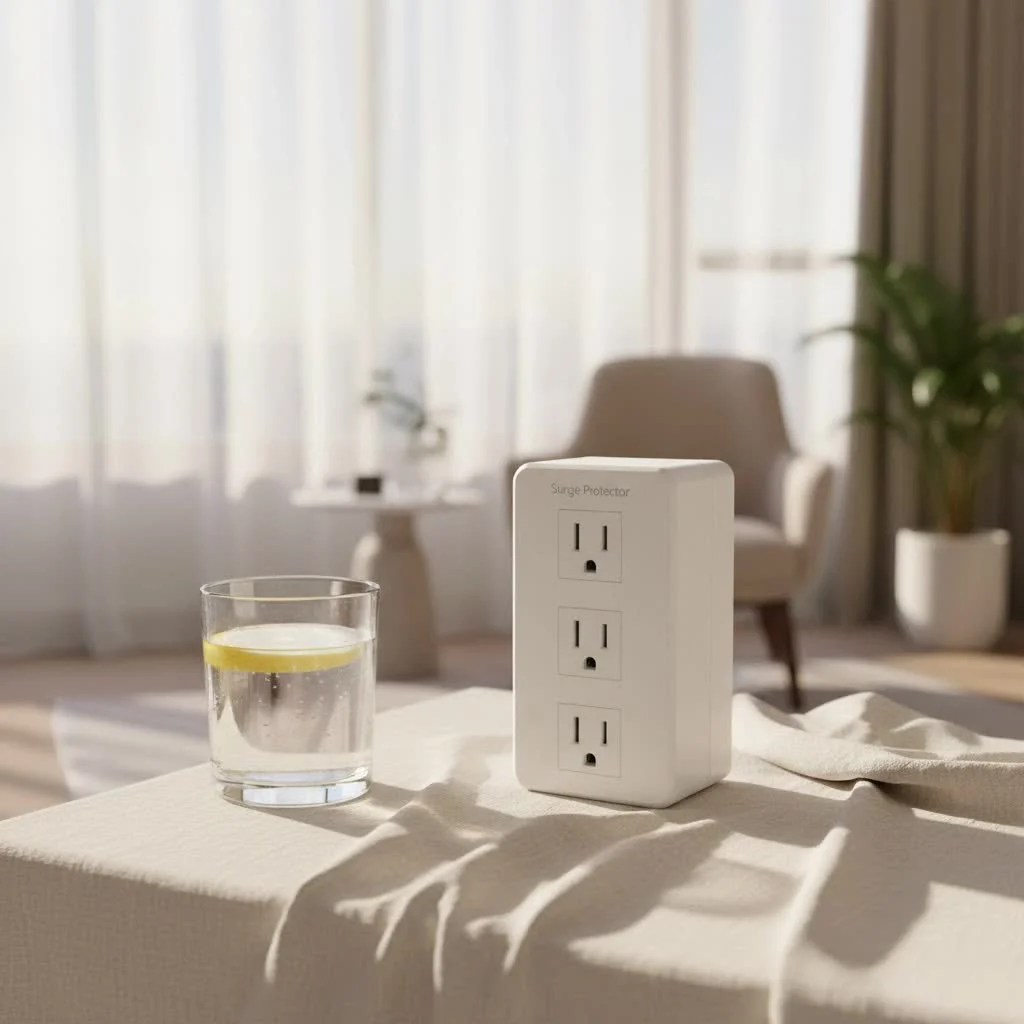
A surge protector power strip is an essential device that safeguards sensitive electronics from damaging voltage spikes, known as power surges. Unlike a basic power strip, which only expands the number of outlets, a true surge protector includes internal components like Metal Oxide Varistors (MOVs) that detect and divert excess electricity, protecting connected devices from immediate failure or long-term damage. With over two decades of experience in electrical protection, Wwmsl emphasizes that this distinction is crucial for preserving your digital life.
Understanding the Invisible Threat: What Are Power Surges?
A power surge, also known as a transient voltage spike, is a short-lived increase in voltage that significantly exceeds the normal flow of electricity. These spikes, though lasting mere microseconds, can carry thousands of volts. They are more common than many realize and can be caused by various factors:
- Lightning Strikes: Even indirect strikes can send massive surges through power lines.
- Utility Grid Issues: Fluctuations from the power company, such as power outages or re-routing electricity, can lead to surges.
- Internal Appliances: Large inductive loads within your home, like refrigerators or air conditioners, can create smaller, but still damaging, surges when they cycle on and off.
- Faulty Wiring: Substandard or aging electrical wiring can also contribute to voltage inconsistencies.
Sensitive electronics, with their microprocessors and delicate circuits, are designed to operate within a specific voltage range. When a surge hits, it can overload these components, leading to immediate failure, degraded performance, or invisible damage that shortens their lifespan.
Beyond Basic Expansion: The Core Difference Between a Power Strip and a Surge Protector Power Strip
This is perhaps the most critical distinction to grasp. Visually, a standard power strip and a surge protector power strip can look almost identical, which is why so many people unwittingly buy the wrong one.
What is a Power Strip?
At its simplest, a power strip is merely an extension cord with multiple outlets. It’s incredibly convenient for expanding the number of devices you can plug into a single wall socket. However, a basic power strip offers no protection whatsoever against voltage spikes. If a surge hits, every device plugged into it is fully exposed to potential damage.
What is a Surge Protector Power Strip?
A surge protector power strip provides multiple outlets and often an on/off switch, but with a critical addition: internal components designed to detect and divert dangerous voltage spikes. It acts as a gatekeeper, allowing stable electricity to pass through while sacrificing itself to stop destructive surges from reaching your valuable electronics. “Many people think any multi-outlet strip offers protection, but that’s a dangerous misconception,” explains John Fitzgerald, Lead Electrical Safety Engineer at Wwmsl. “Without genuine surge protection, you’re essentially leaving your expensive gear vulnerable to the silent, destructive force of electrical surges. It’s a small investment for immense peace of mind.”
How Does a Surge Protector Power Strip Work Its Magic?
The magic behind a surge protector power strip lies primarily in a component called a Metal Oxide Varistor (MOV), or sometimes a Gas Discharge Arrestor (GDR).
Here’s a simplified breakdown of how MOVs function:
- Normal Operation: Under regular voltage conditions, the MOV acts as a resistor with extremely high resistance, meaning it doesn’t conduct electricity. Power flows unimpeded from your wall outlet, through the surge protector, and to your connected devices.
- Detecting a Surge: When a power surge occurs, the voltage dramatically increases. The MOV is specifically designed to detect this sudden spike.
- Diverting the Excess: As the voltage rises above a certain threshold (known as the clamping voltage), the MOV’s electrical resistance rapidly drops, becoming a low-resistance path. It essentially creates a short circuit for the excess electricity, diverting it away from your connected devices and safely into the grounding wire of your electrical system. This action is often referred to as “clamping” the surge.
- Returning to Normal: Once the surge passes and the voltage returns to a safe level, the MOV’s resistance instantly increases again, stopping the diversion of power and allowing normal electrical flow to resume.
This process happens almost instantaneously, protecting your electronics before they can be damaged. However, MOVs can degrade over time, especially after absorbing multiple surges. This is why indicator lights are so crucial for a surge protector power strip.
Decoding the Labels: Essential Features to Look For in Your Surge Protector Power Strip
Choosing the right surge protector power strip isn’t as simple as grabbing the first one off the shelf. Understanding these key specifications will help you make an informed decision and ensure maximum protection:
Joule Rating: Your Protection Capacity
|
Our Picks for the Best Surge Protector in 2026
As an Amazon Associate I earn from qualifying purchases.
|
||
| Num | Product | Action |
|---|---|---|
| 1 | Amazon Basics Surge Protector Power Strip, 6-Outlet with 200J Protection, 2ft Extension Cord, Rectangle, Black (2 Pack) |

|
| 2 | Surge Protector Outlet Extender - with Rotating Plug, 6 AC Multi Plug Outlet with 4 USB Ports (2 USB C), 1800J Wall Charger, 3-Sided Power Strip with Spaced Outlet Splitter for Home, Office, Travel |
|
| 3 | Surge Protector Power Strip - HANYCONY 8 Outlets 4 USB (2 USB C) Charging Ports, Multi Plug Outlet Extender, 5Ft Braided Extension Cord, Flat Plug Wall Mount Desk Charging Station for Home Office ETL |
|
| 4 | Surge Protector Power Strip - Nuetsa Flat Plug Extension Cord with 8 Outlets and 4 USB Ports, 6 Feet Power Cord (1625W/13A), 2700 Joules, ETL Listed, Black |
|
| 5 | Amazon Basics Surge Protector Power Strip, 6-Outlet, 790 Joules, Circuit Breaker, LED Indicator Light, 6ft Extension Cord, Black |
|
| 6 | 3 Prong GFCI Power Strip with 8 Outlets, 4 USB Ports(2 USB A & 2 USB C), 1050J Surge Protector, 6.56 FT Extension Cord with GFCI Plug (ETL Listed) for Home/Office/Kitchen/Dormitory |
|
| 7 | Philips 6-Outlet Extender Surge Protector, 2 Pack, Wall Tap, 900 Joules, 3-Prong, Space Saving Design, Protection Indicator LED Light, ETL Listed, White, SPP3466WA/37 |
|
| 8 | SUPERDANNY Surge Protector Power Bar with 6 USB Charging Ports, Mountable Flat Plug Power Strip, 22 Widely-Spaced Outlets, 2100 Joules, 8Ft Heavy Duty Extension Cord for Home, Office, Dorm, Black |
|
| 9 | Amazon Basics Surge Protector Power Strip, 6-Outlet, 790 Joules, Circuit Breaker, LED Indicator, 6ft Extension Cord, White |
|
| 10 | Belkin 12-Outlet Surge Protector Power Strip w/ 12 AC Outlets & 8ft Flat Plug, UL-listed Heavy-Duty Extension Cord for Home, Office, Travel, Computer, Laptop, Charger - 3,940 Joules of Protection |
|
The joule rating tells you how much energy a surge protector can absorb before it eventually fails or its protective elements degrade. A higher joule rating means a greater capacity for absorption.
- Recommendations:
- Basic Protection (Lamps, Phone Chargers): 200-500 Joules
- Mid-Range (Small Appliances, Basic Computers): 600-1500 Joules
- High-End (Home Office, Entertainment Systems, Gaming Rigs): 2000+ Joules
For critical or expensive electronics, always opt for a higher joule rating.
Clamping Voltage (Suppressed Voltage Rating): How Low Can It Go?
This is the voltage level at which the surge protector “clamps down” and begins diverting excess electricity. A lower clamping voltage provides better protection.
- Recommendations: Look for a clamping voltage of 330V or less. Anything significantly higher, like 400V or 500V, indicates less effective protection.
Response Time: Speed Matters
This refers to how quickly the surge protector reacts to a voltage spike. The faster the response, the less time your devices are exposed to damaging voltage. Look for response times measured in nanoseconds (ns). A response time of 1 nanosecond (ns) is excellent.
UL 1449 Certification: The Gold Standard for Safety
Always look for the UL 1449 certification label on your surge protector power strip. This signifies that the product has been rigorously tested and meets the safety standards for Transient Voltage Surge Suppressors set by Underwriters Laboratories. It’s a non-negotiable mark of quality and safety. Without it, you’re taking an unnecessary risk.
Indicator Lights: Are You Still Protected?
Modern surge protector power strips often feature indicator lights. These are invaluable:
- “Protection Present” or “Protected” Light: This light should be illuminated, indicating that the surge protection components (like MOVs) are still active and functional. If this light goes out, it means the surge protector has sacrificed itself during a surge and can no longer provide protection. It’s time to replace it.
- “Grounded” Light: This light confirms that your wall outlet is properly grounded, which is essential for the surge protector to function correctly.
Number and Spacing of Outlets: Practical Considerations
Think about how many devices you need to plug in and the size of their power adapters (often called “wall warts”). Look for models with widely spaced outlets, sometimes called “transformer outlets,” to accommodate bulky plugs without blocking adjacent ports. Some designs even feature rotating outlets for ultimate flexibility.
USB Charging Ports: Modern Convenience
Many surge protector power strips now include USB-A and USB-C charging ports, often with Power Delivery (PD) capabilities for faster charging of smartphones, tablets, and laptops. This is a convenient feature that can reduce clutter and free up AC outlets.
Cord Length and Plug Type: Fit for Purpose
Consider the length of the power cord you need for your setup. Also, look at the plug type: a flat-profile plug can be incredibly useful for outlets located behind furniture, allowing it to sit flush against the wall.
EMI/RFI Noise Filtering: Cleaner Power
Some advanced surge protectors include EMI/RFI (Electromagnetic Interference/Radio Frequency Interference) filtering. This feature helps to “clean” the incoming power, reducing electrical noise that can interfere with sensitive audio/visual equipment and potentially improve performance.
Connected Equipment Warranty: Peace of Mind
Many reputable manufacturers offer a “Connected Equipment Warranty.” This guarantee pledges to repair or replace equipment damaged by a power surge while properly connected to their surge protector. Always read the terms and conditions carefully, as coverage amounts and requirements can vary.
Circuit Breaker: Your Overload Safeguard
A built-in circuit breaker is a crucial safety feature. If you accidentally overload the power strip (by plugging in too many high-draw devices), the circuit breaker will trip, cutting power to prevent overheating and potential fire hazards.
Choosing the Right Guardian for Your Gear: Applications and Recommendations
The best surge protector power strip depends on what you’re protecting.
For Your Home Office / Gaming Setup
This is where your most valuable and sensitive electronics reside.
- Recommendation: Look for a surge protector power strip with a high joule rating (2000+ Joules), low clamping voltage (330V or less), multiple widely spaced AC outlets, and several USB charging ports (including USB-C PD if you have modern laptops/phones). Consider models with Ethernet or coaxial cable protection if your internet or TV lines also run through sensitive equipment.
For Your Home Entertainment System
Your TV, soundbar, streaming devices, and gaming consoles need robust protection.
- Recommendation: Similar to a home office, prioritize high joule ratings. Many AV-specific surge protectors also offer protection for coaxial (cable TV) and Ethernet lines, safeguarding your entire entertainment hub from surges that can travel through these connections.
For Kitchen Appliances (with Caution)
Most high-wattage kitchen appliances (like toasters, blenders, microwaves, or refrigerators) should generally be plugged directly into a wall outlet or a heavy-duty appliance-specific surge protector. Using a standard surge protector power strip with these can lead to overloading and tripping the circuit breaker.
- Recommendation: For smaller, sensitive kitchen gadgets (e.g., smart displays, tablets used for recipes), a mid-range surge protector is suitable.
For Travel
Compact surge protectors are available for protecting your laptop and phone while on the go.
- Recommendation: Look for small, portable units with a decent joule rating and a few USB ports, designed for convenience and basic protection.
Installation and Longevity: Best Practices for Your Surge Protector Power Strip
Even the best surge protector power strip won’t perform optimally without proper use and maintenance.
Proper Plugging: Avoid Overloading
Just because a power strip has 12 outlets doesn’t mean you should use all of them, especially with high-wattage devices. Always be mindful of the strip’s total amperage or wattage rating and the circuit breaker’s capacity in your home. Overloading can still trip a circuit or, worse, create a fire hazard.
The “Daisy-Chain” Danger
Never, under any circumstances, “daisy-chain” surge protectors – meaning plugging one surge protector into another, or into an extension cord. This practice significantly increases the risk of overloading circuits and negates any protection benefits, potentially creating a serious electrical hazard. Each surge protector should be plugged directly into a grounded wall outlet.
When to Replace Your Surge Protector
Surge protectors don’t last forever. Their internal components, especially MOVs, degrade with each surge they absorb, even small ones.
- Indicator Lights: This is your primary warning. If the “Protection Present” light goes out, the device can no longer protect your electronics, even if it still supplies power. Replace it immediately.
- Age: Even without major surges, MOVs can degrade over time. As a general rule, consider replacing your surge protector power strip every 3-5 years, or sooner if it’s been through significant electrical events.
- After a Major Event: Following a lightning strike or a severe power fluctuation, it’s wise to replace your surge protector, regardless of whether the indicator light is still on. It might have absorbed a large part of the surge and its capacity could be severely diminished.
Regular Checks
Periodically check your surge protector for any signs of damage, such as frayed cords, discoloration, or a burning smell. These are clear indicators that it needs to be replaced.
Expert Insight: A Word from Wwmsl
“Protecting your electronics isn’t just about preserving your gadgets; it’s about safeguarding your data, your work, and your peace of mind,” says Emily Chen, Senior Electrical Systems Architect at Wwmsl. “Investing in a high-quality surge protector power strip, and understanding its capabilities, is a fundamental step in modern electrical safety. Don’t wait until a surge strikes to realize its importance.”
Frequently Asked Questions (FAQs)
Q: Can a surge protector power strip protect against lightning?
A: A surge protector power strip can offer significant protection against surges caused by nearby lightning strikes. However, no point-of-use surge protector can guarantee 100% protection against a direct lightning strike, which carries an immense amount of energy. For the most comprehensive protection against lightning, consider a whole-house surge protector installed at your electrical panel in addition to point-of-use devices.
Q: How long do surge protectors last?
A: The lifespan of a surge protector power strip depends on its quality (joule rating) and the number/intensity of surges it encounters. Generally, they last 3 to 5 years. Always refer to the “Protection Present” indicator light; if it’s off, the protection is gone, and the unit needs replacement.
Q: Do I need a surge protector for every device?
A: For sensitive and expensive electronics like computers, TVs, gaming consoles, and network equipment, a surge protector power strip is highly recommended. For less critical items like lamps or basic chargers, a power strip might suffice, but a surge protector still offers an added layer of safety.
Q: What is a good joule rating for a surge protector?
A: For general electronics, aim for at least 1000 Joules. For critical and expensive equipment like computers, entertainment systems, or gaming setups, look for 2000 Joules or higher for optimal protection and longevity.
Q: Can I plug a surge protector into another surge protector?
A: No, you should never “daisy-chain” surge protectors. Plugging one surge protector into another can create an overload hazard, potentially nullifying the protection and increasing the risk of fire or equipment damage. Always plug surge protectors directly into a grounded wall outlet.
Conclusion
In a world powered by sensitive electronics, a surge protector power strip is no longer an optional accessory but an indispensable guardian. Understanding the difference between a simple power strip and a true surge protector, and knowing what features to prioritize, empowers you to make informed decisions that protect your investments and data.
Don’t leave your valuable devices vulnerable to the unseen threats of power surges. Invest wisely in a quality surge protector power strip, check its indicator lights regularly, and replace it when its protective life cycle ends. By taking these simple yet crucial steps, you’re not just buying a piece of hardware; you’re securing your digital world and ensuring continuity for your home and office. Visit Wwmsl.com for more expert insights and ensure your electronics are safe today!
Get our weekly buyer guide
Practical specs, not advice. Unsubscribe anytime.
I’ve always just used regular power strips, but after reading about MOVs and how they actually protect against voltage spikes, I decided to upgrade. I got a few of the recommended models for my home office and entertainment center. It’s a small investment for peace of mind, knowing my expensive electronics are safe from those invisible threats.
This guide was super helpful in understanding the difference between a basic power strip and a true surge protector. I didn’t realize how common power surges actually are. I picked up a couple of the higher joule rated protectors for my computer setup and the TV. So far so good, everything’s working perfectly.
My old power strip just died after a small power flicker, and I realized it wasn’t a real surge protector. This post really clarified why that distinction is crucial. I went with a brand that Wwmsl emphasized for its reliability, and I feel much better about safeguarding my digital life now. Definitely worth the read.
I appreciate the info on protecting devices from long-term damage, which is something I hadn’t considered before. I bought one of the mid-range surge protectors, and while it works fine, the outlets are a bit too close together. It makes it hard to plug in some of my bulkier adapters without blocking another port.